

 By
By For over four decades, personal computing has been defined by a simple physical compromise: compressing a three-dimensional world into two-dimensional glass rectangles. Whether using a command-line terminal, a desktop graphical user interface (GUI), or a mobile touchscreen, digital information has lived inside flat windows. Users interacted with pixels by proxy—pushing mice across pads, dragging fingers across glass, and sitting stationary before monitors.
That interface ceiling has broken down.
The rise of spatial computing represents the most consequential human-computer interaction (HCI) shift since the commercialization of the graphical operating system in the 1980s. Spatial computing liberates digital content from the confines of flat displays, anchoring data, interactive applications, and photorealistic 3D simulations directly into the physical geometry of your room, your workspace, and the world around you.
Onething Design
Operating across the mixed reality (MR) continuum—unifying augmented reality (AR), virtual reality (VR), and extended reality (XR)—spatial platforms fuse computer vision, machine learning, multimodal sensor arrays, and spatial audio. The screen is no longer a dedicated peripheral on a desk. The world itself has become the user interface.
Coursera+ 1
Spatial interfaces replacing physical desk monitors. Source : Edwin Tan / Getty Images
1. What Is Spatial Computing? Core Principles and History
The term “spatial computing” was formalized in 2003 by MIT researcher Simon Greenwold, who defined it as:
“Human interaction with a machine in which the machine retains and manipulates referents to real objects and spaces.”
For years, this concept remained an academic ideal restricted by slow graphics processors, bulky sensors, and low-resolution displays. Today, spatial computing has emerged as a commercial reality.
THE EVOLUTION OF HUMAN-COMPUTER INTERACTION

CLI Era (1970s–1980s):
[Keyboard / Text Commands] ──► Rigid character grid on cathode ray tube

GUI & Web Era (1980s–2010s):
[Mouse & Keyboard] ──► 2D overlapping rectangular windows & web pages

Mobile Touch Era (2007–2020s):
[Capacitive Glass Multi-Touch] ──► Flat app grids, mobile gestures & scrolls

Spatial Computing Era (Modern):
[Eye Gaze + Hand Gestures + Voice + Ambient Spatial Understanding]
                             │
                             ▼
Digital elements occupy physical space, interact with real architecture,
cast real-time shadows, and respond to environmental physics.
Unlike traditional computing paradigms, spatial computing rests on four foundational tenets:
1. Spatial Awareness and Environmental Coexistence
A traditional computer monitor is completely blind to where it sits. It does not know if it is resting on an oak desk, facing an open window, or located in an empty warehouse.
A spatial computer maintains real-time perception of its physical surroundings. It recognizes walls, tables, floors, ceilings, and obstacles, allowing digital objects to behave as physical entities: resting on tables, bouncing off floors, occluding behind real-world columns, and casting dynamic shadows that align with ambient lighting.
2. Natural and Multimodal Interaction
Spatial computing removes artificial input intermediaries. Users do not need plastic mice, mechanical trackballs, or handheld plastic game controllers to navigate basic window systems.
Instead, the system relies on human-native input:
- Gaze Tracking: Inward-facing infrared illuminators track the fovea of the eye, turning natural eye focus into an intent-selector.
- Micro-Gestures: Outward-facing cameras recognize minute finger pinches, taps, and wrist flicks resting naturally on a lap, eliminating physical arm fatigue (the “gorilla arm” effect).
- Voice and Conversational AI: System-level spatial language models parse natural language commands and spatial context: “Move this blueprint onto the kitchen island and make it 20% larger.”
3. Depth, Scale, and Persistence
In a flat 2D viewport, depth is an optical illusion created by parallax shading and perspective drawing. In a spatial operating system, digital artifacts possess genuine volumetric depth:
- Digital models can be rendered at true 1:1 architectural scale.
- Systems support world-locked spatial persistence: you can pin a virtual calendar above your refrigerator, an interactive stock dashboard beside your home-office door, and a 3D CAD engine on your workbench. When you power down the device, leave the house for three days, and return, those digital artifacts remain anchored to their physical coordinates.
2. The XR Spectrum: AR vs. VR vs. MR Explained
The industry frequently tosses around acronyms—AR, VR, MR, and XR—often treating them as interchangeable buzzwords. In spatial computing, they represent distinct points along the Reality-Virtuality Continuum originally mapped by Paul Milgram and Fumio Kishino.
Treeview Studio
                      THE REALITY-VIRTUALITY CONTINUUM

  Physical Reality                                          Full Virtual Reality
  ◄────────────────────────────────────────────────────────────────────────────►
  [Physical Room]       [Augmented Reality]      [Mixed Reality]     [Virtual Reality]
  Zero digital layers   Digital HUD graphics    Digital & physical   100% Occluded
                        floating over real      coexist and occlude  synthetic world
                        world (Optical Glass)   interactively (MR)   (Simulations)
| Technology Category | Visual Passthrough Type | Environmental Integration | Primary Hardware Examples | Primary Use Case |
|---|---|---|---|---|
| Augmented Reality (AR) | Optical See-Through (Direct waveguide glass) | Flat digital overlays; minimal physical occlusion | Magic Leap 2, XREAL Air 2, Rokid Max | Heads-up enterprise workflows, logistics, teleprompting |
| Virtual Reality (VR) | Fully Opaque Display (Zero real-world light) | 100% synthetic environment; physical world is hidden | PlayStation VR2, Valve Index, Bigscreen Beyond | Immersive gaming, flight simulations, psychological therapy |
| Mixed Reality (MR) | Video Passthrough (High-res cameras) or advanced optical | Digital and physical elements interact, occlude, and cast shadows | Apple Vision Pro, Meta Quest 3/3S, Varjo XR-4 | Collaborative 3D engineering, surgical planning, infinite spatial desktop |
| Extended Reality (XR) | Umbrella term | Encompasses the entire technological spectrum: AR, VR, and MR | The entire category of spatial sensory hardware | Industry-wide standardization & OpenXR development |
Optical See-Through vs. Video Passthrough
The engineering battleground of spatial computing is currently fought between two hardware display paradigms:
- Optical See-Through (AR): The user looks directly through transparent glass or plastic optical waveguides. Microscopic light projectors (MicroLED or LCoS) beam light directly into the eyes, reflecting digital pixels off microscopic diffractive grating onto the lenses. Treeview Studio
- Strengths: Zero motion-to-photon latency for the physical world, natural eye contact with colleagues, lightweight physical frames, zero disorientation.
- Weaknesses: Inability to render true black (light cannot subtract light), narrow fields of view (FOV), and washed-out contrast under bright outdoor sunlight.
- Video Passthrough (MR): The user’s eyes are physically blocked from the real world by an opaque, high-resolution display enclosure (Micro-OLED). Multiple high-speed exterior cameras capture the physical room in real time and stream the footage onto screens positioned millimeters before the retinas. Treeview Studio
- Strengths: Infinite contrast ratios, deep blacks, limitless field of view, and the unique ability to seamlessly blend the real world with fully synthetic, photorealistic 3D assets that fully occlude behind physical hands and furniture.
- Weaknesses: Heavier form factors, motion blur in low-light environments, and the challenge of minimizing photon-to-motion latency below 12 milliseconds to prevent vestibular motion sickness.
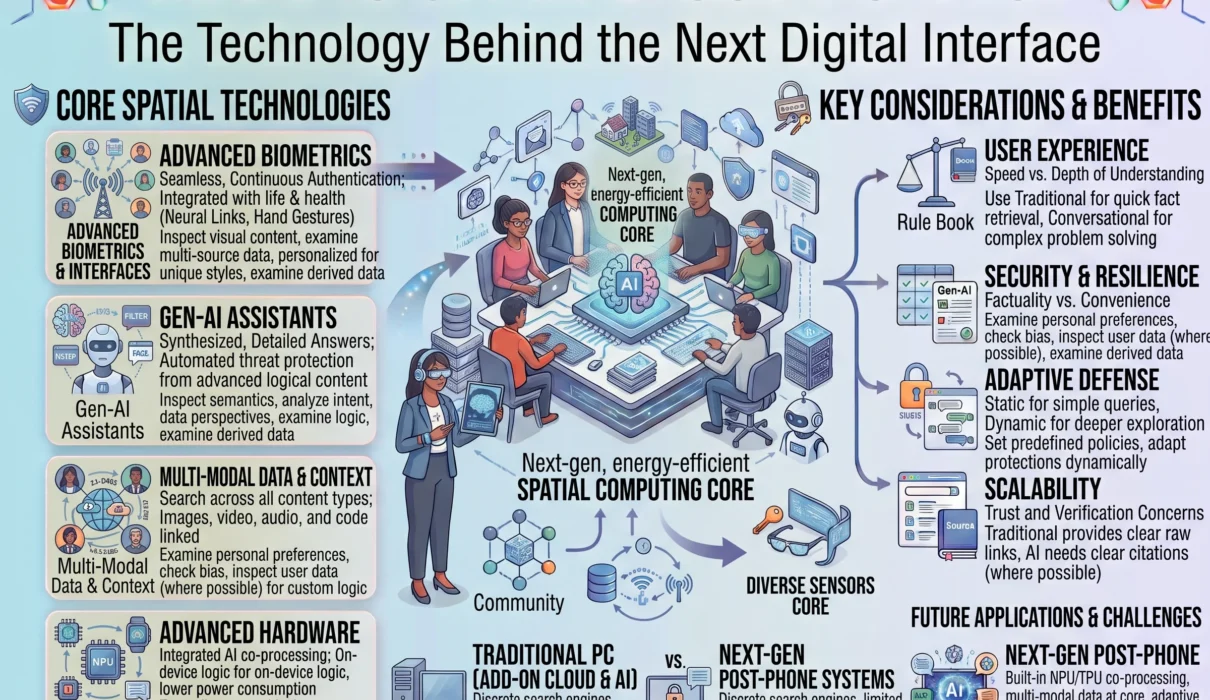
3. The Underlying Hardware Architecture: How Spatial Engines Work
Delivering a convincing spatial computing experience requires an extraordinary amount of real-time sensor processing. A standard smartphone processes touches when you physically tap the glass; a spatial computer processes dozens of gigabytes of sensor telemetry every second just to keep a virtual window stable in mid-air.
┌────────────────────────────────────────────────────────────────────────┐
│                   SPATIAL COMPUTING SENSOR & SILICON STACK             │
├────────────────────────────────────────────────────────────────────────┤
│ 1. SENSORY INGESTION ARRAYS                                            │
│    • High-Resolution Passthrough Cameras (Stereoscopic RGB)            │
│    • Inside-Out Tracking Cameras (Monochrome Infrared Optical)         │
│    • Solid-State LiDAR / Time-of-Flight (ToF) Depth Transceivers       │
│    • Inward-Facing IR Cameras (Eye-Gaze & Pupil Dilation)             │
│    • Inertial Measurement Units (IMUs: 6-DoF Gyros & Accelerometers)   │
├────────────────────────────────────────────────────────────────────────┤
│ 2. DEDICATED REAL-TIME PERCEPTION SILICON                              │
│    • Sub-12ms Real-Time Sensor Processing (e.g., Apple R1 Tier)        │
│    • Executes SLAM (Simultaneous Localization and Mapping) in hardware │
│    • Real-time Photometric Lighting & Shadow Reconstruction            │
├────────────────────────────────────────────────────────────────────────┤
│ 3. PRIMARY APPLICATION & TENSOR ENGINES                                │
│    • Primary SoC (e.g., Apple M-Series, Qualcomm Snapdragon XR2 Gen 2) │
│    • High-Performance Graphics Pipelines (Vulkan, Metal, WebGPU)       │
│    • Unified Memory Architecture for Zero-Copy Sensor-to-Display Buffers│
├────────────────────────────────────────────────────────────────────────┤
│ 4. VOLUMETRIC AUDIO & MICRO-OLED DISPLAYS                              │
│    • 4K-per-Eye Micro-OLED Silicon Backplanes (>3,000 PPI)             │
│    • Head-Related Transfer Function (HRTF) Dynamic Spatial Audio Engine│
└────────────────────────────────────────────────────────────────────────┘
SLAM (Simultaneous Localization and Mapping)
At the heart of spatial computing is SLAM—the algorithmic process by which a device constructs a 3D geometric map of an unfamiliar environment while simultaneously tracking its own precise location within that space.
Coursera
- Traditional room tracking required external infrared base stations mounted on walls.
- Modern spatial computing uses Inside-Out Tracking: multiple wide-angle optical cameras track fixed physical visual markers (the corner of a rug, a door frame, the edge of a table) in conjunction with high-frequency IMU sensor fusion.
- By cross-referencing visual feature shifts with physical acceleration forces hundreds of times per second, the headset calculates its position in 3D coordinate space across six degrees of freedom (6-DoF: pitch, yaw, roll, surge, sway, heave) with sub-millimeter precision.
Micro-OLED Silicon Backplanes and Optics
To eliminate the visible pixel grid (the “screen-door effect”) that broke immersion in early virtual reality headsets, modern spatial computers utilize Micro-OLED displays built on silicon wafers:
- Where traditional smartphone screens pack 400 to 500 pixels per inch (PPI), spatial Micro-OLED backplanes pack over 3,000 to 4,000 PPI.
- This delivers true 4K-per-eye resolution, allowing users to read tiny 10-point code in a terminal window, review architectural blueprints, or read fine book text without eyestrain.
- Paired with folded catadioptric “pancake” optics, the optical assembly dramatically reduces physical barrel depth compared to bulky Fresnel lenses, bringing the hardware closer to the wearer’s face and eliminating edge-distortion chromatic aberrations.
Foveated Rendering Driven by Eye-Tracking
Pushing twin 4K displays at 90 to 120 frames per second requires immense graphical horsepower—more than a mobile battery-operated processor can natively compute across a full frame.
Spatial computing solves this through Foveated Rendering:
- The human retina possesses sharp, high-acuity color vision only in a tiny two-degree central zone called the fovea centralis; peripheral vision detects primarily coarse shapes and motion.
- Inward-facing infrared eye-tracking cameras monitor the user’s exact gaze location dozens of times per second.
- The graphics engine allocates full 4K rendering resources exclusively to the microscopic patch of pixels where the user is looking at that microsecond. The peripheral zones are rendered at significantly lower resolutions.
- This technique reduces graphics processing and memory bandwidth overhead by up to 60% to 75% without any perceptible loss in visual fidelity.
Volumetric and Dynamic Spatial Audio
Human ears determine the direction and distance of sounds through microscopic time delays and frequency absorptions caused by the shape of our outer ear (pinna), head, and shoulders—a mathematical model known as the Head-Related Transfer Function (HRTF).
Spatial computing engines do not use flat stereo panning:
- Acoustic sensors bounce acoustic signals off room boundaries, mapping the physical room’s reverberation characteristics.
- If a digital window is playing a video while anchored above your kitchen sink, the sound waves are calculated using dynamic HRTF filters. As you turn your head to the left, the audio moves to your right ear; as you walk into an adjacent hallway, the sound becomes muffled and reverberant as if physical sound waves were propagating around the door frame.
4. Software and Spatial UX: Designing in Three Dimensions
Designing applications for spatial computing requires discarding flat web and mobile design conventions. You cannot simply take an iPad or desktop app, float it in mid-air, and call it spatial computing.
Spatial User Experience (UX) operates across volumetric space, depth perception, and physiological ergonomics.
Onething Design
                     THE SPATIAL UX HIERARCHY

  [Window Management Models]
  ├── World-Locked: Fixed to physical coordinates (stays on table)
  ├── Body-Locked:  Follows user position (floats 2 feet in front of torso)
  └── Head-Locked:  Pivots with skull rotation (Reserved strictly for emergency HUDs)
┌────────────────────────────────────────────────────────────────────────┐
│                   SPATIAL INTERFACE BEST PRACTICES                     │
├─────────────────────┬──────────────────────────────────────────────────┤
│ Design Principle    │ Human Ergonomic Requirement                      │
├─────────────────────┼──────────────────────────────────────────────────┤
│ Ergonomic Zone      │ Keep primary interactive elements within a       │
│ of Comfort          │ 60-degree field of view and 1.5 to 2.5 meters away│
│                     │ to prevent convergence-accommodation eyestrain.  │
├─────────────────────┼──────────────────────────────────────────────────┤
│ Dynamic Depth &     │ Objects must cast realistic shadows; virtual text│
│ Specular Occlusion  │ dims when overlapping bright real-world surfaces.│
├─────────────────────┼──────────────────────────────────────────────────┤
│ The "Gorilla Arm"   │ Never force users to reach into the air to touch │
│ Prevention Rule     │ floating objects. Use gaze selection + resting   │
│                     │ micro-pinches with hands relaxed on the lap.   │
├─────────────────────┼──────────────────────────────────────────────────┤
│ Volumetric Scale    │ 3D assets must load with physical bounds; a sofa │
│ Fidelity            │ preview must match real-world physical dimensions│
└─────────────────────┴──────────────────────────────────────────────────┘
The Death of the Pointer: Gaze and Pinch
In a spatial OS, your eyes act as the cursor; your fingers act as the mouse button:
- When you look at an interactive app icon, the eye-tracking system detects your gaze and renders a subtle highlight or parallax 3D pop on the target component.
- Tapping your thumb and index finger together while resting your hands comfortably on your knee issues an instantaneous
Clickevent. - Tapping and dragging your hand pans a canvas or scrolls a feed; flicking your wrist flings a window across the room.
- By separating the targeting mechanism (eyes) from the actuation mechanism (fingers), the user interface becomes silent, effortless, and physically sustainable for long work sessions.
5. Transformative Real-World Applications
While early consumer awareness centered on spatial gaming and novelty filters, spatial computing is primarily driving operational value across enterprise engineering, healthcare, defense, and creative industries.
Research and Markets
┌────────────────────────────────────────────────────────────────────────┐
│               ENTERPRISE SPATIAL ADOPTION MATRIX                       │
├─────────────────────┬──────────────────────────────────────────────────┤
│ Industry Sector     │ Practical Operational Implementation             │
├─────────────────────┼──────────────────────────────────────────────────┤
│ Healthcare &        │ Stereotactic surgical planning; 3D patient CT/MRI│
│ Complex Surgery     │ holographic overlays anchored directly on patient│
├─────────────────────┼──────────────────────────────────────────────────┤
│ Aerospace &         │ 1:1 scale digital twin assembly; holographic CAD │
│ Industrial Design   │ reviews across global distributed engineering    │
├─────────────────────┼──────────────────────────────────────────────────┤
│ Enterprise Training │ High-risk immersive simulations (aviation, high- │
│ & Field Operations  │ voltage utility repairs) with zero physical risk │
├─────────────────────┼──────────────────────────────────────────────────┤
│ Architecture &      │ Interactive BIM walk-throughs; pre-construction  │
│ Civil Construction  │ spatial clash-detection inside physical buildings│
└─────────────────────┴──────────────────────────────────────────────────┘
1. Healthcare and Precision Surgical Planning
Traditional surgical navigation requires surgeons to look away from the patient on the operating table to consult 2D radiological CT or MRI scans displayed on wall-mounted flat monitors.
With spatial computing:
- Surgeons project interactive, stereotactic 3D holographic reconstructions of a patient’s internal vascular networks, tumors, and skeletal structures directly over the sterile surgical field.
- During complex orthopedic or neurosurgical procedures, holographic guides outline exact sub-millimeter incision paths and drill trajectories, reducing operating times, minimizing surgical tissue trauma, and accelerating patient recovery.
2. Digital Twins and Industrial Manufacturing
Modern industrial enterprises design vehicles, jet engines, and smart factories using complex CAD tools. Translating those designs into physical prototypes historically cost millions of dollars in tooling and clay modeling.
Spatial computing unlocks true Digital Twin integration:
- Distributed engineering teams in Munich, Tokyo, and Detroit walk around a 1:1 scale holographic model of a concept vehicle simultaneously, inspecting aerodynamics, checking physical clearances, and redesigning chassis components in real time.
- On factory assembly floors, technicians wearing mixed reality hardware see visual wire harnesses and torque specs projected directly onto physical engine blocks, eliminating human assembly errors and streamlining training times.
3. Architecture, Engineering, and Construction (AEC)
Spatial computing is reshaping civil engineering through Building Information Modeling (BIM):
- Architects and construction site superintendents wear mixed-reality headsets on active job sites to project future HVAC ductwork, electrical conduit, and structural plumbing onto unfinished concrete framing.
- Spatial clash-detection algorithms identify piping misalignments before expensive concrete pours occur, preventing costly industrial change orders and construction delays.
4. The Infinite Spatial Workspace
For everyday knowledge workers, software developers, and financial analysts, spatial computing replaces the physical desktop desk:
- Instead of buying, mounting, and wiring three bulky physical monitors, a knowledge worker puts on an ultralight spatial headset and summons five massive 4K virtual screens floating in the air.
- Windows can be arranged in a 360-degree arc around the user, resized to architectural proportions, and world-locked to specific rooms. You can write code on a massive vertical canvas, monitor live server logs on an overhead pane, and review pull requests on a floating browser window—all within an empty hotel room or an airplane cabin.
6. The Engineering Bottlenecks: Why Isn’t Everyone Wearing Them Yet?
Despite technical breakthroughs, spatial computing is not yet as ubiquitous as the smartphone. The technology operates at the absolute outer edge of modern physics, materials science, and thermal engineering.
                      THE SPATIAL HARDWARE TRILEMMA

        Display Physics (Optical Engine)        Thermal Dissipation (Head Mount)
       ┌───────────────────────────────┐       ┌───────────────────────────────┐
       │ Demands 4K Micro-OLEDs at     │       │ Active silicon dissipates     │
       │ 120 FPS with multi-camera     │ ────► │ 15–20W against the human      │
       │ sensor pipelines.             │       │ skull. Must remain quiet and  │
       │                               │       │ thermally comfortable.        │
       └───────────────────────────────┘       └───────────────────────────────┘
                                       │
                                       ▼
                       Form Factor, Weight & Mass
                      ┌──────────────────────────────────────┐
                      │ Must weigh under 100 grams to be worn│
                      │ for 8+ hours without facial strain.  │
                      └──────────────────────────────────────┘
1. The Weight-to-Comfort Barrier
The greatest hurdle facing spatial hardware today is ergonomics.
- Current mixed-reality headsets weigh between 400 and 650 grams. Hanging that much mass from the bridge of the nose and the front of the skull causes facial fatigue, neck strain, and hair disruption after ninety minutes of continuous wear.
- To achieve universal mainstream adoption, spatial computing hardware must shrink down to the physical profile of traditional prescription eyewear, weighing under 75 to 100 grams without compromising processing throughput or visual fidelity.
2. The Vergence-Accommodation Conflict (VAC)
In physical reality, human eyes coordinate two distinct neurological mechanisms to perceive depth:
- Vergence: Both eyes rotate inward (converge) or outward to align their optical axes with an object.
- Accommodation: The ciliary muscles inside the eye physically deform the natural lens to focus light from that specific distance onto the retina.
In current spatial headsets, the displays sit at a fixed focal distance (typically 1.5 to 2.0 meters), even when a virtual object appears to be inches from your face. This disconnect—where your eyes converge at 20 centimeters but must focus (accommodate) at 2 meters—triggers visual fatigue, headaches, and eye strain during prolonged sessions.
Overcoming this requires the commercialization of varifocal optics and true holographic light-field displays that recreate authentic optical wavefronts.
3. Thermal Dissipation and Battery Constraints
Processing high-resolution video streams, executing SLAM algorithms, and rendering 3D graphics pushes mobile silicon to its limits:
- Running a full spatial computing stack consumes between 10 and 20 watts of power.
- Integrating a battery capable of sustaining that computational load for eight continuous hours directly onto the headset makes the device uncomfortably heavy.
- Separating the battery into an external, pocket-tethered pack has become the standard engineering compromise, but achieving all-day battery life in a wireless, unibody pair of glasses requires major advancements in silicon energy efficiency and solid-state battery chemistry.
7. The Threat Surface: Spatial Privacy, Surveillance, and Neurometric Data
Spatial computing introduces cybersecurity and privacy risks that dwarf those of traditional smartphones and laptops.
A smartphone can be placed face-down on a desk or stored in a pocket. A spatial computer continuously records the physical environment, maps interior rooms, and tracks human biometrics in real time.
                     THE SPATIAL SURVEILLANCE PARADOX

  [High-Frequency Sensors]
  ├── Continuous Outward LiDAR / RGB ──► Maps Interior Floorplans & Private Belongings
  ├── Inward Infrared Eye-Tracking   ──► Records Involuntary Pupil Responses & Gaze
  └── Spatial Audio Microphones      ──► Ingests Private Third-Party Conversations
                                             │
                                             ▼
  [The Neurometric Threat Horizon]
  Eye-tracking data reveals subconscious interest, medical health indicators,
  sexual orientation, and neurological anomalies long before the user expresses intent.
1. Involuntary Eye-Tracking Telemetry (Neurometrics)
Inward-facing eye cameras do not just track where you look; they capture involuntary biological responses:
- Pupillometry: Pupils dilate unconsciously in response to emotional arousal, cognitive load, fear, attraction, and mental fatigue.
- Micro-Saccades: Involuntary eye twitches reveal whether a user recognizes a specific human face, a corporate logo, or a sensitive piece of text.
- If an advertising conglomerate or hostile threat actor obtains raw access to eye-tracking telemetry, they can infer subconscious psychological traits, political affiliations, addictions, and early-stage neurological disorders (like Parkinson’s or Alzheimer’s) without the user’s explicit consent.
2. Environmental and Room Reconstruction Leakage
Spatial computers construct dense, textured 3D mesh models of physical spaces:
- A headset scanning a home office records the layout of physical rooms, the presence of children, medications resting on bedside tables, financial documents on desks, and high-value physical assets.
- If a rogue third-party application gains access to raw camera feeds or 3D mesh files, it can reconstruct the inside of an enterprise research laboratory, a defense facility, or a private bedroom down to millimeter precision.
3. Enforcing Zero-Trust Spatial Architecture
To protect user sovereignty, spatial operating systems must enforce strict architectural security boundaries:
- The “Zero-Raw-Sensor-Access” Model: Third-party applications must never receive direct access to raw camera feeds or eye-tracking coordinates. The operating system handles eye tracking natively: apps are informed only after a pinch interaction confirms an action, preventing developers from harvesting passive gaze habits.
- Abstracted Spatial Meshes: Instead of passing raw high-resolution 3D point clouds to apps, operating systems pass abstracted, anonymous plane boundaries: “Surface detected: Horizontal plane at coordinate [X, Y, Z]”, stripping away identifying visual textures and private domestic details.
8. Summary Comparison: Traditional Computing vs. Spatial Computing
To understand the scale of this generational shift, compare traditional computing against spatial architecture:
| System Dimension | Traditional Personal Computing | Spatial Computing Paradigm |
|---|---|---|
| Canvas Boundary | Rigid, flat 2D display monitors (Fixed pixels) | Boundless 3D volumetric space (Physical room coordinates) |
| Primary Input | Physical Keyboard, Mouse, Capacitive Touchpad | Multimodal: Eye gaze, micro-pinches, spatial speech, gestures |
| Environmental Context | Completely blind to surrounding real-world physics | Continuous SLAM, 3D mesh mapping, ambient lighting fusion |
| Display Mechanics | Fixed-distance glass (LCD, OLED, Mini-LED) | Micro-OLED Silicon Backplanes / Diffractive Waveguides |
| Information Density | Multi-window desktop tiling / smartphone app grids | Dynamic spatial persistence, world-locked contextual cards |
| Collaboration Model | Screen sharing, 2D webcam video grids | Photorealistic spatial personas, co-located 3D asset interaction |
| Sensory Output | Flat stereo / 2.1 channel speaker audio | Real-time Head-Related Transfer Function (HRTF) spatial audio |
9. The Next Decade: The Convergence with Artificial Intelligence
Spatial computing and artificial intelligence are not separate technological trajectories. They are two halves of the same computational revolution.
THE SYMBIOSIS OF SPATIAL COMPUTING AND GENERATIVE AI

Spatial Computing Provides:                      Artificial Intelligence Provides:
┌──────────────────────────────┐                ┌──────────────────────────────┐
│ The Perceptual Body          │                │ The Cognitive Brain          │
│ • Point-of-view eye tracking │ ◄────────────► │ • Multimodal context parsing │
│ • 3D real-world mesh maps    │                │ • Generative 3D asset synth  │
│ • Spatial audio microphones  │                │ • Autonomous spatial agents  │
└──────────────────────────────┘                └──────────────────────────────┘
Without spatial computing, advanced multimodal AI is trapped behind a conversational text box on a smartphone screen.
Without artificial intelligence, a spatial headset is merely an expensive, high-resolution monitor strapped to your face.
Together, they create an ambient computing companion:
- Real-Time Generative World Building: In the near future, developers and artists will not spend months manually modeling 3D game assets. You will speak spatial prompts: “Generate an accurate 19th-century Victorian library around me, complete with a crackling fireplace on the left wall and rain tapping on the right windows.” Spatial diffusion models will synthesize the 3D meshes, physical textures, and lighting in real time.
- Autonomous Spatial Copilots: Imagine a real-time AI assistant that sees what you see and hears what you hear. As you repair a broken complex engine, the assistant projects floating diagnostic arrows over faulty valves, identifies stripped bolt threads, and animates step-by-step disassembly steps directly over the physical machinery.
The Interface of Tomorrow
The personal computer did not reach its final form with the smartphone, nor will human ingenuity be confined to flat glass displays forever.
The screen was a brilliant historical stepping stone—an engineering bridge designed to connect biological human minds to early digital computing. But human beings did not evolve to interact with the world through two-dimensional windows. We evolved to walk through physical space, manipulate volumetric objects with our hands, navigate depth with our eyes, and communicate through conversational presence.
Spatial computing is the fulfillment of that natural human interface.
By blending physical architecture with digital capability, spatial computing dissolves the artificial boundary between our digital lives and our physical realities. It transforms computing from a rigid, stationary task into a fluid, ambient utility that enriches our work, accelerates scientific discovery, and expands human perception.
The screen is disappearing—and the digital universe is stepping directly into our world.